415-
cloversoftmail@earthlink.net
PleasePickUp!-
Your Kitchen Command Center
Author’s Note
My wife and I have used a whiteboard on the refrigerator for the grocery list for many years. She would write down what we were out of that week, take a picture of it on her phone then take that to the market with her. When she asked me to go to the market for her, she would send me a picture of the list so I could pick it up for her. The problem with this system is that the items were all over the store, there was no guide for me to easily find them. So I built an app that shows all the groceries we use and lets us select the items we are out of from a check list. When we’re ready to buy, a single tap sends the check list via email organized by the store aisle so finding items is easy! Give the app a try and let PleasePickUp! help you. -
Most grocery items are already set up for you and you’re free to add as many as you like - Easy!
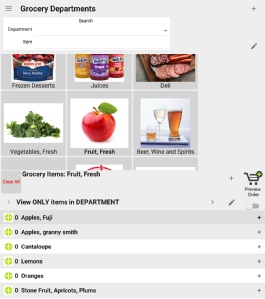
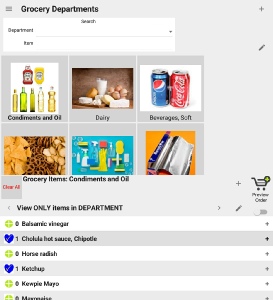
PleasePickUp! installs with grocery items arranged by department/aisle. Each department has a button with picture in the Grocery Departments menu.
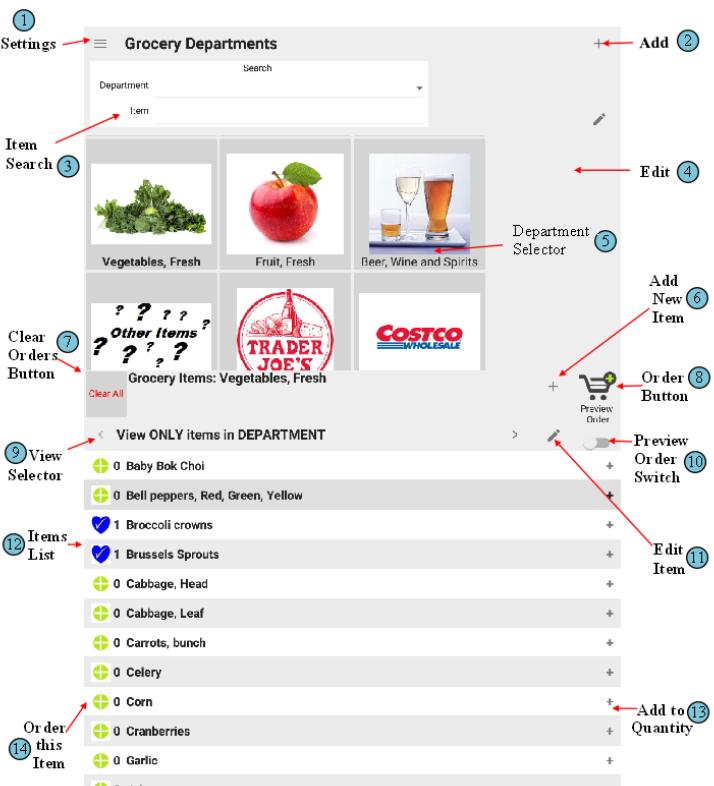 Just tap the department to show the items in the Grocery items list
(See below)
To order an item,
Tap

to show

To increase the quantity ordered, tap the little plus near the right edge of each item. To cancel an item, tap the blue heart to show the green target.
Viewing the Items in a Department
Just tap the department to show the members.
Searching for Items
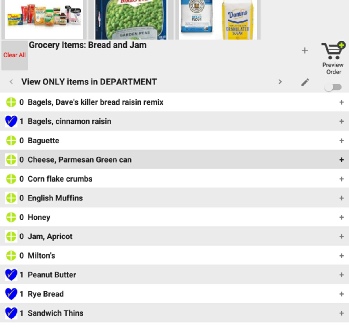
PleasePickUp! has a unique global search function that will search for items regardless of what department they are assigned. In this example, to start tap Item Search box and type “bread”. The results box will show all the items that include “bread”.
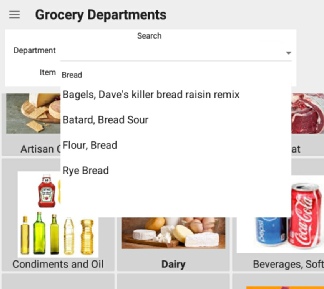 Tap the desired item and you’ll be asked if you want to add it.
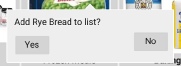
The Rye Bread is added and your view switches to Bread & Jam
so you can see all the other types of bread to add more stuff!